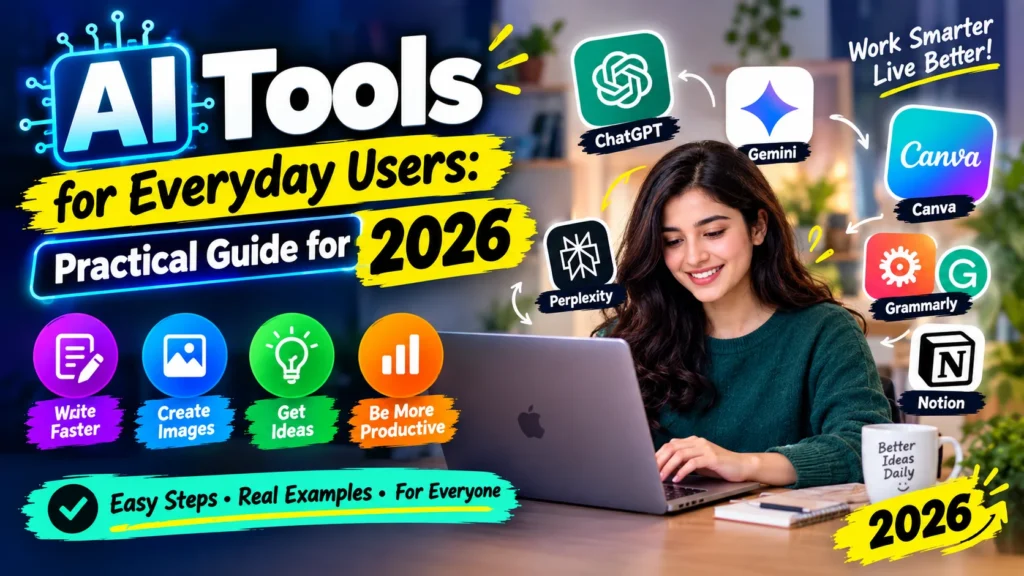
AI Tools for Everyday Users: Practical Guide for 2026
AI Tools for Everyday Users. Look, I’ll be real with you. Last year I was that person. 11 tabs open. ChatGPT, Gemini, Claude, Perplexity, Canva, plus three random tools I saw on Instagram reels. Paying for like two of them. 6000 rupees a month just gone.
And for what? I was still doing most of the work myself. Now in 2026, it’s not even about finding AI. It’s literally inside everything. You open Gmail and it’s offering to write the reply. You open Canva and it’s like “want me to design this?” You don’t need to hunt for AI anymore.
The headache now is opposite there’s TOO much. So I deleted 90% of it. Right now I only keep two. One for writing/thinking, one for designing. That’s it. And honestly I’m getting way more done. Here’s the breakdown that actually matters for normal people like us – not for coders.
AI Tools for Everyday Users: First, what do we even mean by AI tools?
Just normal apps where you type in normal English. No coding, no prompts engineering nonsense. You type “make this email sound less rude” and it fixes it. You upload a long PDF and say “what’s important in this?” and it tells you. That’s it.
Most of us only use it for like 5 things anyway quick answers, fixing our writing, making a simple poster or image, summarizing long documents, and translation. If a tool doesn’t do one of those, skip it.
The 5 types you actually need to know
I’m going to keep this super simple because the internet makes it way too complicated.
1. The main chatbots. ChatGPT, Gemini, Claude.
- Everyone starts here. ChatGPT you know it. It’s the one that knows a little about everything. Good for first drafts, ideas, explaining stuff simply. Like that friend who has an answer for everything, even if it’s not always right.
- Gemini: this is what I use daily now, but only because my whole life is in Google. Gmail, Drive, Docs. Gemini just lives inside them. I don’t need to upload anything, it already sees my files and can draft from them. If you have a Google One subscription or use Workspace for work, you probably already have the paid version and don’t even know it. Check before you pay for anything else.
- Claude – this one is different. It’s quiet. Doesn’t try to be funny. But give it a 80-page contract or your messy meeting notes and it actually gets it. It also hallucinates way less. When I need something to be accurate, I go to Claude.
All three are free at start. Paid is around $20. Honestly don’t pay until free starts annoying you and cutting you off mid-work.
2. Tools that fix your writing
Not to write for you, to fix YOUR writing.
- Grammarly – I’ve had it since uni. It lives in your browser. It stops you from sending that email that sounds super rude when you’re angry. It’ll be like “this sounds harsh, wanna soften it?” Lifesaver.
- QuillBot – when you wrote something and it just sounds… weird? Paste it there. It gives you a better way to say the same thing. Students use it a ton for summarizing.
- Notion AI – only useful if you already live in Notion. I keep all my notes there so I can highlight my ugly notes and say “make this clean.”
- But again – these don’t give you good ideas. They just polish your bad wording. Your brain still has to do the thinking part.
3. Design tools for people who can’t design (like me)
I am terrible at design. Like, really bad. Canva is the only reason my Instagram posts don’t look like they were made in 2010. You literally type “Eid sale poster for my clothing store, pink and gold” and it makes 10 options. Background remover in one click. Resize for story, post, whatever. I used to pay 1500 rupees on Fiverr for one poster. Now I do it myself in 3 minutes.
And you know what? You don’t even need Midjourney anymore. ChatGPT and Gemini make decent images now for regular use. Midjourney is still better if you’re an artist, but it’s $30 and you need to learn prompting. Most of us don’t need that headache.
Canva free gives you like 200 AI uses a month. That’s actually enough.
4. Research tools that don’t lie to you
This is where people get scammed. AI Tools for Everyday Users. Normal chatbots will lie with so much confidence. I swear, once ChatGPT gave me a fake court case with judge name and everything. AI Tools for Everyday Users. Looked 100% real. It was completely made up.
So when I need real, accurate info, I only trust two.
- Notebook LM from Google. This thing is insane and it’s still free. You upload your OWN files – PDFs, slides, notes, even a YouTube video – and it will ONLY answer from those. It won’t bring random internet garbage. AI Tools for Everyday Users. So if I upload my course slides, it makes a quiz only from those slides. It also makes like a mini podcast from your documents. I use it for studying and for client work.
- Second is Perplexity. It’s basically Google but it gives you the answer directly, plus it shows you the 5-6 websites it used. So you can actually click and check. I use it whenever I need to research anything for work and I need to show sources.
5. Voice and video
- ElevenLabs – you paste text, it speaks like a real human. I use it for my presentations because I hate recording my own voice. Sounds way more professional.
- HeyGen / Synthesia – you type a script and an AI person says it on video. Looks a little fake if you look closely, but for training videos or shop explainers, it works. No camera needed.
AI Tools for Everyday Users. But these free plans are a joke. You get 2-3 videos then they ask for credit card. Only buy if you actually make videos weekly.
Also Check: Hot Wallet vs Cold Wallet: Which Is Safer in 2026?
Okay so what should you pay for?
I made this list for my cousin last week:
- If you use Gmail and Drive all day -> Gemini is enough.
- If you want all-rounder for anything -> ChatGPT.
- If you deal with long documents -> Claude.
- If you make any designs at all -> Canva Pro, it’s like $10 a year if you pay yearly, cheapest of all.
- If you study -> NotebookLM, free.
- If you need real sources -> Perplexity.
My final setup now? Gemini (because I already have Google One) + Canva Pro. That’s like $10 a month total. Earlier I was paying $60. Big difference.
How I decide now before paying for anything?
Three checks I do now:
- AI Tools for Everyday Users. One, check what I already have. I felt so dumb when I found out Microsoft 365 already had Copilot and Google One already had Gemini Advanced. AI Tools for Everyday Users. Go to your subscriptions first.
- Two, right tool for right job. Don’t make a poster in ChatGPT. AI Tools for Everyday Users. Don’t summarize a 200-page PDF in Canva. AI Tools for Everyday Users. Sounds obvious but we all do it.
- Three, live on free for one week. Not testing with fake prompts. Real work. Real emails. Real tasks. If free doesn’t stop you for 7 days straight, you don’t need to pay. This one rule saved me so much money.
What I actually do with them? Not theory, real stuff
- Work: I record a voice note after a client call, dump the transcript into Claude and say “make a to-do list with dates”. Takes 15 seconds.
I get a long boring report, put it in NotebookLM and ask “what should I be worried about? Give me 4 points.”
I get an angry email, paste in Gemini “make this professional but firm, I need 2 more days”. - Home: Last night I opened fridge, saw eggs, rice, capsicum. Typed in Gemini “quick 15 min dinner with this?” Got egg fried rice recipe.
My sister practices English – she talks to ChatGPT voice mode for 10 mins daily.
Planning a family trip? “3 days in northern areas with kids, budget 80k, less walking” – it gives a decent plan. - Creative: Birthday cards in Canva, 5 mins. Logo ideas by just typing. Removing background from product photos without Photoshop.
Mistakes I made so you don’t
- Don’t believe everything. Seriously. It will invent facts, dates, references. If it’s important – job, uni, legal – double check. I learned this the hard way.
- Don’t keep three subscriptions that do same thing. One $20 tool is enough.
- Go to settings and turn off “use my data to train”. All of them have it on by default. If you paste private stuff – CNIC, client data – turn that off. Takes 10 seconds in settings.
- Don’t use it for big decisions. Don’t ask it for medical treatment or “should I take this loan?” Use it to understand, but final decision is yours.
- And don’t expect free to be unlimited. It will stop you at like 4pm when everyone is using it. That’s normal.
Where is this all going?
- Honestly, in a year or two there won’t be “AI tools”. There will just be Gmail that writes better, Canva that designs better, MS Word that summarizes itself.
- You won’t open an AI app. AI will just be inside the apps you already use.
- So the smart people won’t be the ones who tried 50 new apps. They’ll be the ones who learned to use the 2 apps they already use really well.
- That’s it. That’s my whole take after a year of wasting money and time.
- Start tomorrow. Pick ONE annoying task you hate doing. Maybe it’s writing Instagram captions, maybe it’s making weekly reports. Let AI do the first draft for just that one task. For one week. If it saves you 20-30 mins, keep it. If not, leave it.
- Don’t try to automate your whole life in one day. Just one small thing.
- What about you? Which tool are you using that actually saves time? And which one was totally overhyped and waste of money? Tell me in comments, I’m actually curious what’s working for people outside the tech bubble.
Frequently Asked Questions
Which one AI tool should I start with if I’m totally new?
Just start with one. Don’t download 5 apps. If your life is in Gmail and Google Drive, start with Gemini. If you just want an all-rounder that can do anything decently, start with ChatGPT. Use it for one week for real tasks – not fake prompts. If it helps, stick with it. You don’t need more.
Is it safe to put my private info or company data in these tools?
Please don’t. I made this mistake early on. Don’t paste your CNIC, bank details, passwords, or private client data into any chatbot. Most tools have a setting that says “use my data to train AI” turned ON by default. Go to Settings > Privacy and turn that off first. For sensitive stuff, either don’t paste it or use a more private tool.
Why does AI sometimes give fake information that looks real?
Because it’s designed to sound confident, not to be always right. It will literally invent a court case, a research link, or a date with full confidence. It’s called hallucination. That’s why for anything important uni assignment, work report, legal stuff I never trust ChatGPT or Gemini alone. I use NotebookLM which only answers from my own files, or Perplexity which shows me the source links so I can check.
Can AI replace a writer, designer, or my job?
No, not really. At least not now. It can make a good writer faster and make a non-designer look decent, but it has zero taste. It doesn’t know if something sounds rude, culturally off, or just cringe. The best results I’ve seen are always human + AI. You give the idea and final check, AI does the boring first draft.