Crypto Wallet & Binance Guide 2026: How to Set Up, Send, and Secure Your Assets
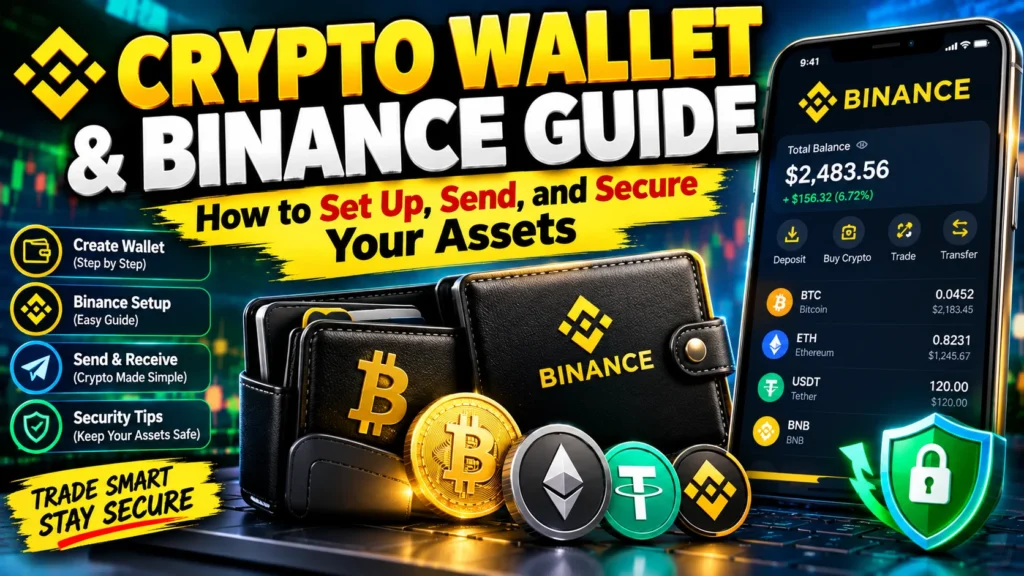
Crypto Wallet & Binance Guide 2026. Let me tell you something no one told me when I first bought crypto. I bought $100 worth of Bitcoin on Binance back in the day, and I thought I was done. Like, I own Bitcoin now. It’s in my Binance account. Cool.
It took me almost 6 months to realize I didn’t actually own anything. Binance did. I just had an IOU that said they owe me that Bitcoin. If Binance had shut down the next day, my Bitcoin would have been gone with it.
Crypto Wallet & Binance Guide 2026. That’s when I went down the whole wallet rabbit hole. And trust me, once you understand it, you’ll never look at your exchange account the same way again. So this guide is everything I wish someone had explained to me in plain English – no technical jargon, no copy-paste definitions.
Crypto Wallet & Binance Guide 2026
- Forget the word “wallet” for a second because it’s a terrible name. It doesn’t hold your coins.
- Your coins never leave the blockchain. Ever. They always live there.
- What your wallet holds are keys. Just keys.
- Think of your crypto as a safe that lives on the internet. Everyone can see the safe. Your wallet holds the two things you need for that safe.
- Your Public Address: This is like your house address or your email ID. You can shout it from the rooftops.
0x...orbc1q...– this is what you give to people when you want to RECEIVE crypto. You can post it on Twitter, it doesn’t matter. - Your Private Key: This is the actual key to the safe. A super long, secret code. If anyone gets this, they can open your safe and take everything. You never share this. Not with your friend, not with support, not with anyone.
- Your Seed Phrase: Okay, this is the big one. 12 or 24 simple English words in a specific order. Like candle, tiger, river, mountain…
- This phrase IS your private key, but in human-readable form. This is your master backup. If your phone breaks, if you lose your laptop, if you delete the app by mistake these 12 words will bring your entire wallet back on any device in the world. If you lose these words, you lose your wallet forever. There is literally no company, no helpline, no government that can help you.
- So remember this one line and you’ll be smarter than 90% of beginners: Not your keys, not your coins.
Custodial vs. Non-Custodial: Who Do You Trust?
Crypto Wallet & Binance Guide 2026. When you buy crypto on Binance and leave it there, you are using a custodial wallet.
- What does that mean? Binance holds the private keys. You just log in with a password and 2FA. It’s exactly like a bank. It’s super convenient. You forgot your password? You can reset it. You want to trade instantly? One click.
- It’s perfect for beginners. No doubt. But you are trusting them. Completely. You’re trusting that they won’t get hacked. That they won’t freeze withdrawals when the market crashes 50% in a day, which has happened. That they won’t have some regulatory issue in your country. You don’t have control.
- Now, a non-custodial wallet is you taking full control. This is Trust Wallet, MetaMask, Phantom, Rabby, and also Binance’s own Web3 Wallet. In this case, YOU hold the keys. Not Binance. Not anyone. You.
- That means no one can freeze your account. No one can stop your transaction. You have true financial freedom. That’s the whole point of crypto.
- But the responsibility is all yours too. If you get scammed and give your seed phrase to a fake website, Binance can’t reverse it. If you lose that piece of paper where you wrote your 12 words, no one in the world can recover it for you.
- So which one should you use? Honestly? Use both. That’s what everyone who has been here for a few years does.
- Keep your trading money on the exchange – say 20% to 30% of your portfolio. It’s fast, easy.
Keep your long-term holdings – the Bitcoin you don’t want to touch for 5 years – in your own self-custody wallet. That’s your savings account. That’s the one you never mess with. Here is a simple breakdown:
- Custodial (Binance Exchange):
- Who holds keys? They do.
- How easy is it? Very easy, like a banking app.
- If you lose access? You can do KYC and get back in.
- Main risk? Exchange gets hacked, or freezes your account.
- Best for? Trading every day and beginners.
- Non-Custodial (Your own wallet):
- Who holds keys? You do.
- How easy is it? Takes an hour to learn properly.
- If you lose access? Only seed phrase can save you.
- Main risk? You get phished or you lose your backup.
- Best for? Long-term HODLing and real ownership.
How To Set Up Binance Wallet in 2026 – The Keyless One
Crypto Wallet & Binance Guide 2026. Now Binance actually solved the biggest fear people have losing the seed phrase.
They launched their Keyless Wallet. It doesn’t use a single seed phrase. It uses something called MPC – Multi-Party Computation. In simple terms, it splits your private key into 3 encrypted pieces called shards. One stays on your device, one is backed up to your cloud [iCloud or Google Drive], and one is with Binance.
Crypto Wallet & Binance Guide 2026. You need 2 out of 3 to open your wallet. So even if you lose your phone, you can recover with your cloud + Binance’s piece. And Binance alone can’t move your money because they only have 1 piece. It’s much safer than a single piece of paper.
How to set it up:
- Step 1: Open your Binance App. Make sure it’s updated to the latest version.
- Step 2: At the bottom, tap on Assets. At the top, you’ll see two tabs – Exchange and Web3. Tap on Web3. If this is your first time, it will say Create Wallet.
- Step 3: Tap Create Wallet -> Keyless Wallet. If you already have a wallet like MetaMask, you can tap Import Wallet and enter your old seed phrase there.
- Step 4: It will ask you to set a backup password and enable cloud backup. DO NOT SKIP THIS. Set a strong password that you will remember and let it back up to your iCloud/Google Drive. This takes 30 seconds and will save you later.
- Step 5: That’s it. Your wallet is created. Tap Receive to see your address. You will see different addresses for different networks your BNB address, your Ethereum address, your Solana address. To fund it, just tap Transfer from your Binance Exchange account to your Web3 Wallet. It’s free and instant inside Binance.
- For computer guys: Install the Binance Wallet Extension from the Chrome Web Store. Open it, it will show a QR code. Scan it with your Binance app. Now your same wallet is on your laptop too, perfect for using dApps.
Hot Wallet vs Cold Wallet – The Real Difference
People make this way too complicated.
- Hot wallet = Anything connected to the internet. Your Binance app, Trust Wallet, MetaMask, Phantom, all hot wallets. They are on your phone or browser. They are hot because they are always online.
- Pros: Free, super fast, you can connect to any dApp, trade in seconds, buy NFTs.
Cons: Because it’s online, if you click a malicious link or sign a bad transaction, a hacker sitting in another country can drain it. - Cold wallet = Completely offline. Ledger Nano S Plus, Ledger Flex, Trezor Safe 3, Trezor Model T. They look like a small USB stick with a screen.
- Your private keys are stored inside that physical chip and NEVER touch the internet. To send crypto, you have to physically press buttons on the device. A hacker can’t hack what isn’t online.
- Pros: This is Fort Knox. The safest way to store crypto. Virtually unhackable.
Cons: Costs money [$70 to $250], it’s slower, and if you lose the device AND the backup seed phrase, you’re done. - So what should a normal person do? Don’t overthink it.
- If you have less than $500-$1000 in crypto, a hot wallet like Binance Web3 Wallet or Trust Wallet is fine. Just be careful.
- If you have more than $1000-$2000 that you don’t plan to trade, buy a cold wallet. It’s a one-time $80 investment to protect thousands. It just makes sense. Think of hot wallet as your pocket wallet for daily expenses and cold wallet as your bank locker.
Also Check: Stablecoin News 2026: USDT, USDC, Regulations & Market Shifts Explained
How To Send and Receive Crypto On Binance Wallet Without Losing Money?
Crypto Wallet & Binance Guide 2026. This is where people lose money the most. Blockchain transactions are irreversible. There is no “undo” button. If you send to the wrong address, it’s gone.
To SEND crypto from your Binance Wallet:
- Open Web3 Wallet and tap Send.
- It will ask you to choose the token. Let’s say USDT.
- Now the MOST IMPORTANT PART: Choose the Network. Is it BEP20 [BNB Smart Chain], ERC20, TRC20, or Solana? If you choose the wrong network, your crypto can be lost forever. If the other person said “send me USDT on Arbitrum” then you MUST select Arbitrum.[Ethereum][Tron]
- Paste the recipient’s address. Don’t type it. Copy-paste. Then verify it. Check the first 6 characters and the last 6 characters. Even better, check the middle 4. Scammers make addresses that look similar.
- Enter the amount. Leave a little bit of the native gas token. For example, if you’re sending on BNB Chain, keep $1 worth of BNB for gas. If you don’t have gas, the transaction will fail.
- Tap Confirm and approve with your passcode/biometrics.
To RECEIVE crypto:
- Tap Receive in your wallet.
- Choose the token and network you want to receive. For example, “Receive USDT on BNB Smart Chain”.
- You’ll see your address and a QR code. Copy the address or share the QR.
- Tell the sender to double-check the network. Wait for 15 seconds to a minute, and you’ll get it.
Crypto Wallet & Binance Guide 2026. One golden rule I tell every single friend: When you’re sending a large amount for the first time to a new address, send $1 or $2 first as a test. If it arrives, then send the rest. That $1 test has saved me from losing thousands twice.
Security Rules – Tattoo This On Your Brain
Listen, I have seen friends lose $5k, $10k, even $50k. Not because of some genius hacker, but because of silly mistakes. Crypto security is 99% common sense.
- Your seed phrase goes on paper. Only paper. Not in your iPhone Notes that syncs to iCloud. Not in your Gmail drafts. Not as a photo in your Google Photos. Hackers search for exactly those things. Get a piece of paper, write it down with a pen, make two copies, and hide them in two different places in your house. Some people even stamp it on a metal plate so it doesn’t burn.
- NO ONE will ever ask for your seed phrase or private key. No one. Not Binance support. Not MetaMask support. Not some guy on Telegram saying he is from Trust Wallet. Not a YouTuber doing an airdrop. Any website, form, or person that asks for your 12 words is a scammer. The second you type it, your wallet is empty.
- Bookmark the real sites. This is so important. Scammers pay Google to put fake ads at the top. You search “Binance Wallet” and the first result might be “binance-wallet-support.com” which is fake and looks identical. It will drain your wallet the second you connect. Bookmark binance.com, metamask.io, trustwallet.com and only use those bookmarks.
- Stop checking only the first 4 letters. Modern scam software generates fake addresses that start and end with the same letters as your real address. So if your friend’s address starts with
0x71C9and ends with9A2F, the scammer’s address will also start with0x71C9and end with9A2F. You have to check the middle part. Or better, save trusted addresses in your address book. - Revoke, revoke, revoke. Every time you connect to a new DeFi site to claim an airdrop or stake something, you give that site permission to spend your tokens. Those permissions never expire unless you remove them. Once a month, go to a site like revoke. cash, connect your wallet, and revoke all the permissions you don’t need.
- Have a burner wallet. Keep your main savings in a vault wallet that you NEVER connect to any random site. For trying new dApps, airdrops, minting – use a separate wallet with like $50 in it. If that burner gets hacked, who cares.
Common Mistakes That Cost A Fortune
- Writing seed phrase on phone and then phone gets hacked.
- Sending Bitcoin to an Ethereum address.
- Trusting someone who DMs you first on Discord/Telegram saying “I can help you” – no real support ever DMs first.
- Trying to send tokens when you have zero native gas token left.
- Keeping your life savings on an exchange because it’s convenient, and then the exchange collapses.
Frequently Asked Questions
Do I need a wallet if I already have Binance?
Technically no, Binance gives you a custodial wallet when you sign up. But if you want to actually own your crypto, yes, you should move to self-custody.
If I lose my seed phrase, can Binance recover it?
No. If it’s a true self-custody wallet like Meta Mask or Trust Wallet, no one can. For the new Binance Keyless Wallet, you can recover with your cloud backup + password, which is why that backup is so important.
What’s difference between address and private key?
Address is like your email you give it out. Private key is like your email password you hide it.
Is Binance Web3 Wallet safe?
Yes, it’s very safe. MPC tech means no single point of failure, plus it warns you about malicious contracts and fake addresses. But remember, no wallet can protect you if you yourself sign a scam transaction.
Should I keep all crypto in one wallet?
Never. Spread it. Trading funds in hot wallet, long-term savings in cold wallet.
How much fee to send?
Binance Wallet itself charges zero extra fee. You only pay the blockchain gas fee. On BNB Chain it’s like $0.05, on Ethereum it can be $1 to $10 depending on traffic.




2 Comments