Crypto Wallet Backup and Recovery Guide: Protect Your Assets (2026)
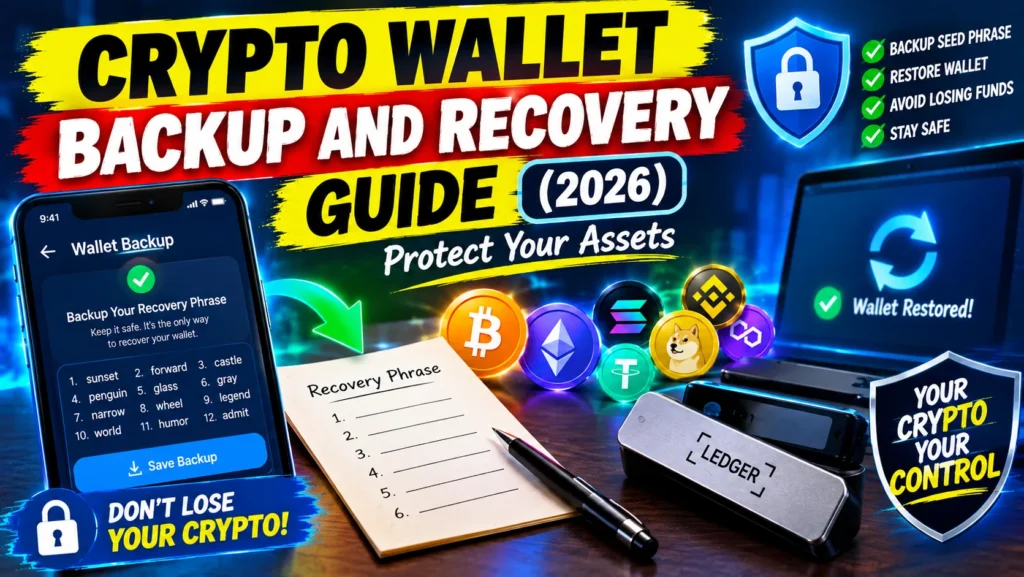
Crypto Wallet Backup and Recovery Guide. Okay, quick story. A friend of mine let’s call him Ali called me last year in full panic mode. His phone got snatched right out of his hand. Three years of buying Bitcoin whenever he had extra cash, all on that phone.
And he never wrote down his seed phrase. Not once. He kept saying “I’ll do it later.” Later never came. His balance is still sitting there on the blockchain. He can see it. He just can’t ever touch it again. No reset button. No one to email. That’s self-custody for you.
I don’t want that to be you. If you do this backup stuff right, a stolen phone or a dead laptop is just an annoying day, not a life-changing loss. I’m going to break down everything I wish someone told Ali, from seed phrases to how to actually test your backup before everything goes sideways.
Crypto Wallet Backup and Recovery Guide
Why Crypto Wallet Backup Matters More Than Anything Else?
Here’s what a lot of people get wrong. Your wallet doesn’t actually hold your coins. Your coins live on the blockchain. What your wallet holds is the keys. The private keys that say “hey, this is mine.” Lose those keys? You lose access. Forever.
With a bank you can beg, plead, show your ID, call ten times. With crypto there is nobody. No help center. No fraud team. The blockchain is built to be unchangeable, which is great until you’re the one who needs something changed.
And it happens way more than you think. Estimates say around 1.5 to 2 million Bitcoin are just gone. Lost keys. Wrong word written down. Messed up order. That’s like tens of billions of dollars just floating there. You can look at it on an explorer, but no human on earth can move it.
So let me say it straight: You can buy another phone. You cannot buy another seed phrase.
Understanding Seed Phrases: Your Wallet’s Master Key
- So you install a wallet Trust Wallet, Phantom, Ledger, whatever and it shows you 12 or 24 random words. Apple, river, chair, monkey… whatever.
- That’s your seed phrase. BIP-39 is the technical name for it, but forget that. Just know this: those 12 or 24 words are mathematically linked to EVERY private key your wallet will ever create. Past, present, future.
- That one little list can control thousands of addresses across every chain. So one screenshot, one note in your phone, one piece of paper that’s literally your whole portfolio.
Seed Phrase vs. Private Key
| Feature | Seed Phrase | Private Key |
|---|---|---|
| Format | 12-24 words | Long string of letters/numbers |
| What it controls | Every address derived from it | One specific address |
| If exposed | Entire wallet compromised | Only that address compromised |
| If lost | All derived wallets inaccessible | Only that address inaccessible |
Table data based on Pocket Network’s self-custody documentation
If your seed phrase is the master key to your house, a private key is just the key to the bathroom. You get the idea.
What You Can Lose (And What Actually Matters)
When people say “I lost my wallet” they usually mean one of three things. And they have totally different endings.
Scenario 1: Lost Device (But You Have the Seed Phrase)
You’re fine. I mean it. Relax.
Your hardware wallet is in a lake somewhere. Your phone got stolen on the train. Your laptop blue-screened and won’t turn on. If you wrote down your seed phrase right, none of that matters.
Recovery steps:
- Order a new device. From the OFFICIAL website. Not eBay. Not some random guy on Facebook Marketplace.
- When it asks you, don’t click Create New Wallet. Click Restore / Import Existing.
- Type your words in. In order. Exactly how you wrote them.
- Done. Your wallet pops back up. Same addresses, same money, same history.
But if it was stolen hurry up: Don’t sit on it for a week. Restore right now and move everything to a brand new wallet with a brand new phrase. Why? Because that thief might crack your PIN. Assume they can.
Scenario 2: Lost Seed Phrase (But You Have Device Access)
- This is your last warning. You have to fix this today.
- If you can still open the wallet on your device, you can still save yourself.
What to do:
- Open the wallet app right this second.
- Go to Settings > Security or Backup Phrase or Recovery Phrase — every wallet calls it something slightly different.
- It will ask for your password or PIN.
- Grab paper and a real pen. Not a pencil that smudges, not a cheap ballpoint that dries out.
- Write every word down. Check it. Check it again. I read mine out loud twice.
Please don’t wait. Phones die without warning. My cousin’s phone just stopped charging one morning. No sign. If that happens and you don’t have the phrase, that money is gone.
Scenario 3: Lost Both Device AND Seed Phrase
There is no way back. I’m sorry, but there isn’t.
No one can help you. Not the wallet company. Not the developers. Not Google. Not the government. The money will sit at your address on the blockchain forever. You can watch it, but you can’t move it.
The 3-2-1 Backup Rule for Seed Phrases
- Security people all say the same thing. Use 3-2-1.
- 3 copies, on 2 different kinds of material, with 1 copy somewhere far away from your house.
Why Redundancy Is Non-Negotiable
One copy is basically no copy. Think about it one fire, one flood, one burglary, one kid drawing on your “important papers” and it’s over. You need backups of your backup.
Practical 3-2-1 Setup
You don’t need to overthink it. Here’s what actually works for normal people:
- Copy 1 (Primary): Metal plate in a fireproof safe at home.
- Copy 2 (Secondary): Paper in a bank locker. Yeah, your dad had one, now you need one too.
- Copy 3 (Tertiary): Another metal plate at your mom’s house or with a brother in another city. Someone you trust with your life.
Now you’re safe from:
- House fire, flood, someone breaking in
- One place getting robbed
- A whole area getting hit by a disaster
- You just forgetting where you put it happens more than we admit
Storage Methods Compared: Paper, Metal, and Digital
Paper Backups
- Pros: Free, simple, anyone can do it right now
- Cons: It burns, it gets wet, ink fades, paper rots
I’ve seen people write it with a light blue ballpoint and two summers later you can’t read a thing. Or their handwriting honestly, my handwriting looks like a doctor’s after a while. And a lot of those BIP-39 words look super similar. Yes, the first four letters are unique, but only if you can read them.
If you use paper, do it like this:
- Write in BIG block capital letters. ARCHIVAL pen. Costs like $2.
- Number each word. 1. APPLE 2. RIVER etc.
- Put it in a ziplock bag, squeeze the air out.
- Make 2-3 of them and don’t keep them all in the same drawer.
Metal Backups
If you have more than like $500 in crypto, just spend the $50 on metal. Honestly. Paper is temporary. Metal is forever.
What the tests actually show:
There’s a guy Jameson Lopp, he runs this open-source thing called metal-bitcoin-storage-reviews. He literally puts these plates in ovens, in acid, crushes them with hydraulic presses. Every year.
Two things he found:
- Plate designs where you punch holes or stamp the letters IN the metal — they survive everything.
- Coated or printed designs where the letters are just sitting ON top of the metal — they fail. The coating burns off.
Best to worst, in my opinion:
- Punching / stamping with letter punches / deep engraving this is the one.
- Those little tiles you slide in okay, they handle heat but they can wiggle out if you drop the plate.
- Surface writing, laser etching that’s shallow, ink don’t bother.
Ask yourself one question: Is the info IN the metal or just ON it? You want IN.
Digital Storage: Proceed with Extreme Caution
I’m gonna be blunt don’t store your seed digitally if you can avoid it. Even encrypted.
You remember LastPass 2022? Hackers stole a bunch of encrypted vaults. Everyone thought “oh they’re encrypted, we’re fine.” Then months later, wallets started getting drained in the middle of the night. Over $400 million total. One guy from Ripple lost like $150 million in XRP from one wallet.
If you absolutely have to keep a digital copy:
- Use a real password manager 1Password, Bitwarden, Keeper not Notes or Google Docs.
- Use a password you’ve NEVER used anywhere else for that vault.
- And still, treat that as a backup to your backup. Not the main thing.
Pro tip: Trust Wallet and some others let you do encrypted cloud backup. If you use it, make a super strong unique password just for that backup and keep that password written down separately.
The Passphrase: Your Secret Weapon (And Potential Downfall)
Okay, this is the advanced stuff. BIP-39 passphrase people call it the 25th word. It’s optional. You add a word, or a whole sentence, on top of your 12/24 words. Same seed + different passphrase = completely different hidden wallet.
How It Protects You?
Someone finds your 24 words? Without your passphrase, they open an empty wallet. Zero. The standard literally says every passphrase makes a valid wallet, but only yours makes YOUR wallet.
That means you can do a trick put $100 in the normal wallet (no passphrase) and keep your real bag behind the passphrase. If someone ever puts a wrench to your head, you can show them the decoy.
The Critical Risk
If you forget the passphrase, you’re screwed. Even with the seed. There’s no “wrong passphrase” warning. It just opens a new empty wallet. I’ve seen so many posts on Reddit “my Ledger is broken, shows zero balance!” nah man, you just typed your passphrase wrong.
My advice: Only use a passphrase if you’re going to write it down and keep it in a DIFFERENT place than your seed. If you think “I’ll just memorize it,” you’re fooling yourself. You’re way more likely to forget it than to get robbed.
Social Recovery: The Future of Wallet Protection
This is where things are going. Instead of one piece of paper, you pick guardians. Trusted people, maybe another phone you own, or even a company.
How It Works?
Your wallet is actually a smart contract. You set the rule like 2 out of 3 guardians need to say yes, or 3 out of 5. If you lose your phone, you ping your guardians and they approve moving your wallet to a new device.
The cool part: There’s a time-lock usually 24 to 72 hours before recovery finishes. So if some scammer tries to trigger a fake recovery, you get a window to cancel it.
What Guardians Cannot Do
They cannot spend your money. At all. They can’t sign transactions, they can’t drain you, they can’t do anything day-to-day. All they can do is say “yes, that’s really him, let him recover” when enough of them agree.
Leading Implementations
| Wallet | Type | Key Feature |
|---|---|---|
| Safe | Multisig / Infrastructure | Industry standard; $100B+ secured across 7M+ accounts |
| Argent | Mobile Smart Wallet | Pioneered consumer social recovery with time-locks |
| Braavos | Starknet Wallet | Hardware signers combined with social recovery |
Table data based on Zelcore’s comparison
The Trade-Offs
Benefits:
- No single piece of paper that can destroy you
- Feels like Web2 “forgot password” which normal people actually understand
- A thief can’t just grab a paper and run
- You can actually plan what happens if you die your family can recover it
Limitations:
- Costs gas, because recovery is an on-chain transaction
- A bit more setup than just writing words
- If your guardians are on vacation with no signal, you might have to wait
- Not every wallet supports it yet
How to Test Your Backup (Before You Need It)
The biggest mistake isn’t losing your seed. It’s never checking if your backup actually works.
I made this mistake once. Wrote down 12 words, felt smart, put money in. A month later I tried to restore on an old phone for fun I had written “aware” instead of “awake.” One letter. I was lucky I caught it early.
The Recovery Test Protocol
Do this BEFORE you put serious money in:
- Wipe the wallet or set it up fresh on another device on purpose.
- Get your handwritten backup out not copy-paste, your paper.
- Restore from it.
- Does the address match? Exactly? Compare letter by letter.
- Does the balance show? History show?
- Okay, now delete that test and go back to your main phone.
It takes five minutes and it might save your life savings.
Also Check: AI Crypto Trading Bots: How They Work in 2026
Common Mistakes That Lead to Permanent Loss
1. Storing the seed phrase digitally
Screenshot in your camera roll. Note in iCloud. Draft email to yourself. All of it can be hacked. LastPass proved even encrypted vaults get cracked.
2. Using a single backup
One paper in your sock drawer. One fire and game over.
3. Never testing recovery
Just assuming it works. Then discovering it doesn’t when you’re already sweating and panicking.
4. Sharing the seed phrase
No one legit will ever ask for it. Not support. Not an airdrop. Not MrBeast giving away crypto on YouTube. If someone asks, they’re stealing from you.
5. Buying hardware wallets from third-party sellers
Fake wallets come pre-loaded with a seed the scammer already knows. You send money there, they sweep it instantly. Always buy from the official site.
6. Storing seed and passphrase together
If you use a passphrase, don’t put it in the same envelope. That defeats the whole point. Separate places.
7. Not planning for inheritance
Grim, but real. If you got hit by a bus tomorrow, could your wife, husband, mom, find your crypto? If not, it dies with you.
Frequently Asked Questions
What is a crypto wallet backup and why is it important?
It’s a copy of your seed phrase or private keys that lets you get your wallet back if your device is lost, stolen, or broken. It’s important because without it, there’s no way to get your funds back — no support team, no password reset, nothing.
What happens if I lose my seed phrase?
If you lose your phrase and you don’t have your wallet open anywhere else, your funds are gone forever. No company, no dev, no government can get it back. The blockchain will still show your balance, but it’ll be locked forever.
Can I store my seed phrase on my phone or computer?
You shouldn’t. Even encrypted apps can get hacked. The LastPass hack in 2022 that caused over $400 million in losses showed that. Keep your main backups offline, on paper or metal.
How many copies of my seed phrase should I make?
At least two or three, in different secure spots. Use the 3-2-1 rule everyone talks about: three copies, two different materials, one off-site.
What is the difference between a seed phrase and a private key?
A seed phrase — those 12-24 words — is the master key that can create all your private keys and addresses. A private key only controls one single address. If your seed leaks, everything is compromised. If one private key leaks, only that one address is at risk.
Can someone steal my crypto if they find my seed phrase?
Yes. In minutes. Anyone with your seed phrase can restore your wallet on their phone and send everything out. And once it’s sent, you can’t reverse it.
What is social recovery and how does it work?
You pick trusted guardians — people or devices. If you lose your key, a majority of them, like 3 out of 5, can approve giving you access back on a new device. There’s a delay built in so you can stop a fraudulent recovery.
Should I use a metal backup for my seed phrase?
If you hold more than a little bit, absolutely. It’s waterproof, fireproof, doesn’t fade. Just make sure you get one where the words are stamped or punched into the metal, not just printed on top.
What should I do if my hardware wallet is lost or stolen?
If you have your seed phrase, just buy a new device from the official site and restore. If it was stolen, do it immediately and move your funds to a totally new wallet with a fresh phrase, because the thief might be able to pull your PIN off the old one.
Can I recover crypto sent to the wrong address?
No. Crypto transactions are final. No undo. If you know the person who got it, you can ask them to send it back, but they don’t have to.
Final Thoughts
I know — backup stuff is boring. It’s not fun like buying a new coin or watching charts. But this is the foundation of the whole thing. Self-custody means you actually own it. But it also means you’re the bank. No safety net. No do-overs.
The good news? It’s not rocket science once you get it:
- Your seed phrase is your money. Treat it like a stack of cash.
- One backup is no backup. Keep multiple copies, in multiple places.
- Test it before you need it. A backup you’ve never tried is just a guess.
- Look at new options. Social recovery and MPC wallets are making this a lot easier and less scary.
So seriously, do it today. Not tomorrow. Today. If you haven’t backed up properly, go write it down now. If you have, but you’ve never tested it, take 15 minutes this week and do a dry run. Future you will thank you.