Best Free AI Video Generator in 2026: Honest Guide to What’s Actually Free
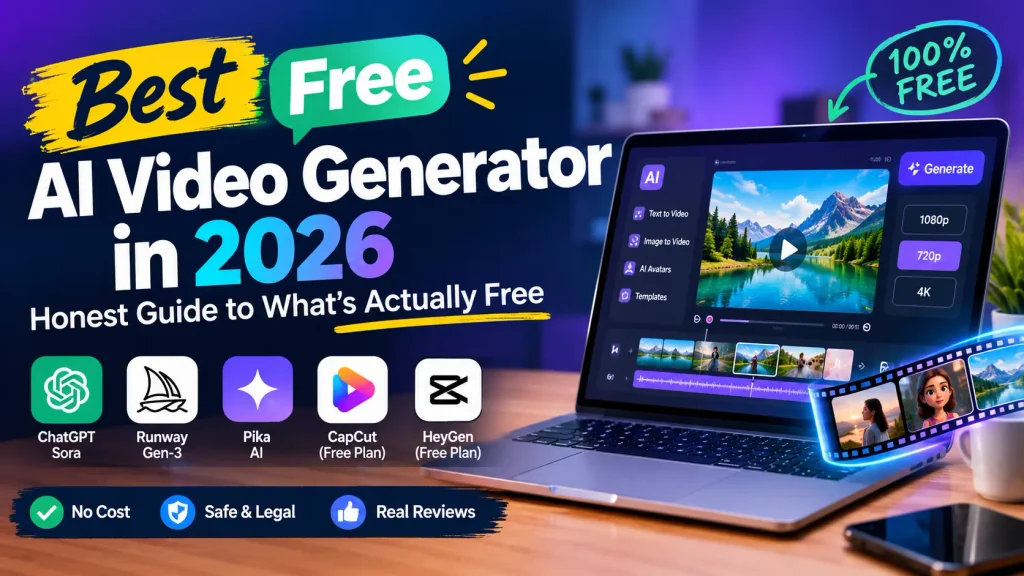
Best Free AI Video Generator in 2026: Honest Guide to What’s Actually Free. AI video generation has moved from novelty to genuine creative tool in the space of two years. What used to cost studio level budgets is now accessible from a browser tab and the temptation to chase the best free AI video generator is understandable . But here’s the uncomfortable truth most roundups won’t tell you : “free” in this space is a word with at least three different meanings and confusing them will cost you time, quality and sometimes the rights to your own output.
This guide cuts through the marketing fog . I’ll show you what genuinely free tools exist right now , where their hard limits are and how to build a workflow that doesn’t collapse the moment your credits run out.
What Does “Free” Actually Mean in AI Video Generation?
Before you sign up for anything , you need to understand the vocabulary . Platforms use the same word for very different offerings.
Free trials are one time grants . Runway’s free plan for example, gives you a single deposit of 125 credits that never refreshes . Once they’re gone they’re gone . That’s roughly 25 seconds of Gen 4 Turbo footage a sample tray not a sustainable tier.
Free tiers refresh on a schedule . Kling AI provides 66 credits per day that reset every 24 hours. Pika gives 80 credits per month . These are real ongoing allowances but they come with hard caps on resolution , duration and commercial rights. Best Free AI Video Generator.
Free forever in the strictest sense, means open source models you run on your own hardware. No credits, no caps no expiry just your electricity bill and GPU rental costs . This is the only category where nobody can revoke your access or change the terms mid project.
Most frustration comes from treating these three as interchangeable . A free trial tells you whether the output quality justifies paying . A free tier tells you whether you can sustain occasional production at zero cost. Local open source tells you whether you want to build something on top . They answer different questions.
The Real Limits Hiding Behind “Free”
Watermarks, resolution caps, and commercial use restrictions aren’t oversights. They’re the business model . Free output is designed to be almost usable enough to convince you the tool works, not enough to publish without upgrading. Best Free AI Video Generator.
The pattern is remarkably consistent across hosted platforms:
- Free output is watermarked. Removing it requires a paid plan.
- Resolution is capped. Usually at 480p or 720p.
- Commercial use is prohibited. Even if you could remove the watermark the license blocks paid use on most free tiers. Best Free AI Video Generator.
There’s a newer wrinkle worth knowing about: regulatory watermarking . The EU AI Act requires AI generated content distributed in the EU to carry machine readable marking as of August 2026. Google’s Vero output carries Synched watermarking by default invisible to viewers but permanently embedded in the file . Paying to remove a brand watermark works. Paying to remove a regulatory provenance marker often doesn’t.
The Best Free AI Video Generators by Use Case
No single tool wins across the board. The right pick depends entirely on what you’re trying to do.
For Daily Prompt Testing: Kling AI
Kling’s free tier offers 66 credits per day, refreshing every 24 hours. That translates to roughly one usable image to video generation per day on the newer models or a few shorter clips on standard settings. Best Free AI Video Generator.
- Where it shines : image to video motion quality. If you’re animating portraits or product shots, Kling’s results are noticeably better than competitors at the same price point which is to say, zero. Best Free AI Video Generator.
- The hard stop: one generation per day is fine for hobbyists . It’s useless for anyone shipping content on a deadline.
For Monthly Casual Use: Pika
- Pika’s free plan provides 80 credits per month at 480p resolution . The monthly shape suits occasional creators one or two clips a week, nothing urgent.
- Pika’s real strength is its effects library: Pikaffects, Pikadditions, Pikaswaps. If your goal is a shareable gag clip with minimal prompt skill, Pika gets you there faster than anything else free.
- The catch: 480p is acceptable for mobile first platforms after compression but it falls apart on desktop viewing or YouTube uploads. And 80 credits realistically produce only six or seven clips before you’re waiting for the next month.
For Cinematic Exploration: Luma Dream Machine
Luma’s free offering skews more cinematic than stylized . Motion quality on slower atmospheric scenes is the best in the free tier category. Best Free AI Video Generator.
The iOS free plan provides 250 monthly credits but at 80 credits for a Ray1.6 720p five second clip, that’s roughly three generations per month . Luma is for testing whether the cinematic aesthetic fits your project not for production.
For Genuinely Free with No Watermark : The Open Source Path
This is the only category where “free” is structurally true. If you run the model on your own hardware, nobody adds anything to your output.
Three models matter in mid-2026:
- Wan 2.2 (Alibaba Tonya Lab): Apache 2.0 license, 720p at 24fps, runs on consumer GPUs the smallest variant fits on 8GB VRAM. Currently the most cited open source baseline for quality on consumer hardware.
- Hunyuan Video (Tencent) : Strong temporal coherence but released under a Tencent Community License with conditions worth reading. Commercial use has geographic exclusions EU, UK, South Korea and user count thresholds.
- LTX-Video (Lightricks): Apache 2.0, among the fastest open models for iteration, with lower hardware requirements.
What you’re trading isn’t quality it’s setup time and hardware access. An RTX 4090 runs Wan 2.2 at 720p in under ten minutes per clip. A cloud GPU rental on Run Pod or Lambda runs $0.50–$2 per hour . Neither is “zero” in the strict sense but neither requires any platform’s permission either.
Free AI Video Generator Comparison
| Tool | Free Allowance | Watermark? | Max Resolution | Commercial Use? | Best For |
|---|---|---|---|---|---|
| Kling | 66 credits and day | Yes | 720p | No | Daily prompt testing |
| Pika | 80 credits and month | Yes | 480p | No | Effects and casual clips |
| Luma | 250 and month (iOS) | Yes | 720p | No | Cinematic exploration |
| Runway | 125 one-time | Yes | Varies | No | Output quality evaluation |
| Google Vids | 50 credits and month | SynthID | 1080p | Yes | Slides to video workflows |
| Wan 2.2 | Unlimited (local) | No | 720p | Yes | Production without limits |
Details verified as of mid-2026 . Policies change frequently confirm current terms on official platform pages.
Google Vids: The Underrated Free Option Most Lists Miss
Google quietly opened up its Vids tool to all personal Google accounts in 2026 and it’s worth understanding because it operates on a different model than the credit based platforms.
Google Vids gives you 50 credits per month on a personal account . Slides to Vids with AI voiceovers costs 5 credits per use and AI clips and avatars share a cap of 6 per month . The output is 1080p and which is higher than most free tiers. Best Free AI Video Generator.
The tradeoff: every frame carries Google’s SynthID watermark invisible but permanent and machine readable . For personal projects or internal use it’s the most capable free workflow available. For client work where provenance matters, it’s a non starter.
Common Mistakes That Waste Your Free Credits
Prompts that ask for too much. A five second clip can’t contain three scene changes, two character introductions and a camera move. Kling and Pika both reward one clear action per generation. If you need a sequence, generate separate clips and edit them together.
Testing without a storyboard. Every failed generation consumes credits you can’t get back. Pre-production on a free image tool generating style frames, character sheets and lighting references first means you spend video credits only on approved concepts. Krea’s free tier does image generation with 100 daily compute units, which makes it a useful pre production companion.
Ignoring the license until it matters. That free clip you generated last week? Check its commercial terms before you put it in a client project. Best Free AI Video Generator. Most free tiers prohibit commercial use and upgrading later doesn’t retroactively grant rights to previously generated content.
Assuming watermark policies are stable. Hailuo’s free tier reportedly produced unwatermarked output in March 2026 then added watermarks back by April. Test the current export yourself before building any workflow on a free tier watermark policy.
Also Check : Website Speed Optimization Guide 2026: Core Web Vitals & Fixes
A Practical Workflow for Free AI Video
Here’s how to actually produce something usable without spending money:
Step 1: Pre produce with free image tools. Generate style frames and storyboards on Krea’s free tier or any free image generator. Define your look before you burn video credits.
Step 2: Use daily-refresh tiers for iteration. Kling’s 66 daily credits are perfect for testing prompts and motion quality. Run one or two experiments per day, save the settings that work.
Step 3: Accept the watermark for non commercial work. If you’re making content for yourself personal projects , learning portfolio pieces a watermark is annoying but not fatal . Publish it, or use it as a draft for a paid re render later. Best Free AI Video Generator.
Step 4: Graduate to open source for production . When you need clean , unlimited output, install Wan 2.2 locally or rent a cloud GPU . The setup time is real but the ceiling is removed entirely. Best Free AI Video Generator.
Step 5: Budget one paid month when a project must ship . A single month of a paid plan $8 to $20 on most platforms trips the watermark and grants commercial rights for that month’s generations . For occasional professional use this is cheaper than maintaining a subscription.
Frequently Asked Questions (FAQs)
What is the best free AI video generator right now?
There’s no single winner. Kling is best for daily prompt testing and image to video quality. Pika is best for effects and casual monthly use. Google Vids offers the highest resolution (1080p) on a free tier. For genuinely unrestricted output, open source models like Wan 2.2 are the only true “free” option.
Can I use free AI video generators for commercial projects?
On most hosted free tiers, no. Runway, Kling, Pika and Luma all restrict commercial use on their free plans. Google Vids allows commercial use of generated content but the Synth ID watermark remains. Open source models with permissive licenses (Wan 2.2, Mochi 1) allow commercial use when run locally.
Do free AI video generators add watermarks?
Almost always. Kling, Pika, Lumia and Runway all watermark free tier output . Google Vids uses invisible Synth ID watermarking instead of a visible logo. Open source models add nothing you control the output entirely.
Which free AI video generator has no watermark?
As of mid 2026, no major hosted platform consistently offers watermark free free tier output. Hailuo’s policy has shifted between versions. The only reliable watermark-free path is open-source models run on your own hardware.
How long can free AI videos be?
Most free tiers cap clips at 4–6 seconds. Kling limits free output to 5 seconds. Pika’s 480p clips run similarly short. Google Vids allows slightly longer AIgenerated segments within its credit system.
Can I generate videos from images for free?
Yes. Kling’s free tier includes image to video with notably strong motion quality on portraits and product shots . Hailuo also offers free image to video. This is often more controllable than text-to-video because the composition is already defined.
What resolution can I get from free AI video generators?
Most cap at 480p or 720p. Pika’s free tier is 480p. Kling and Luma top out at 720p. Google Vids reaches 1080p, the highest resolution available on a free tier. Best Free AI Video Generator.
Do I need a credit card for free AI video generators?
No. Runway, Kling, Pika, Lumia and Google Vids all offer free tiers without requiring payment details. Open source models require no account at all just hardware or cloud compute credits.
How many videos can I make per day for free?
Kling’s 66 daily credits yield roughly one generation on newer models or several shorter standard clips. Pika’s 80 monthly credits produce 6–7 clips per month. Google Vids offers 50 credits monthly, with AI clips capped at 6.
Is it legal to use AI generated videos?
Using AI-generated content is generally legal for personal projects. For commercial use, you must comply with the platform’s license and avoid generating content that infringes third party rights copyrighted characters, celebrity likenesses or branded assets. When in doubt read the specific platform’s terms.
Final Thoughts
The best free AI video generator isn’t a single tool it’s a workflow . Use daily refresh tiers for experimentation. Pre produce with free image tools . When a project needs clean output, either accept the open source learning curve or budget one paid month . The free tier is a doorway, not a destination and knowing where the doors lead is what separates productive use from frustrating dead ends. Best Free AI Video Generator.
What’s been your experience with free AI video tools? Have you found a workflow that actually works without spending money? Share your thoughts in the comments below and if this guide helped you, pass it along to someone who’s tired of wasting credits on the wrong platform.